Case Study - Financetelli
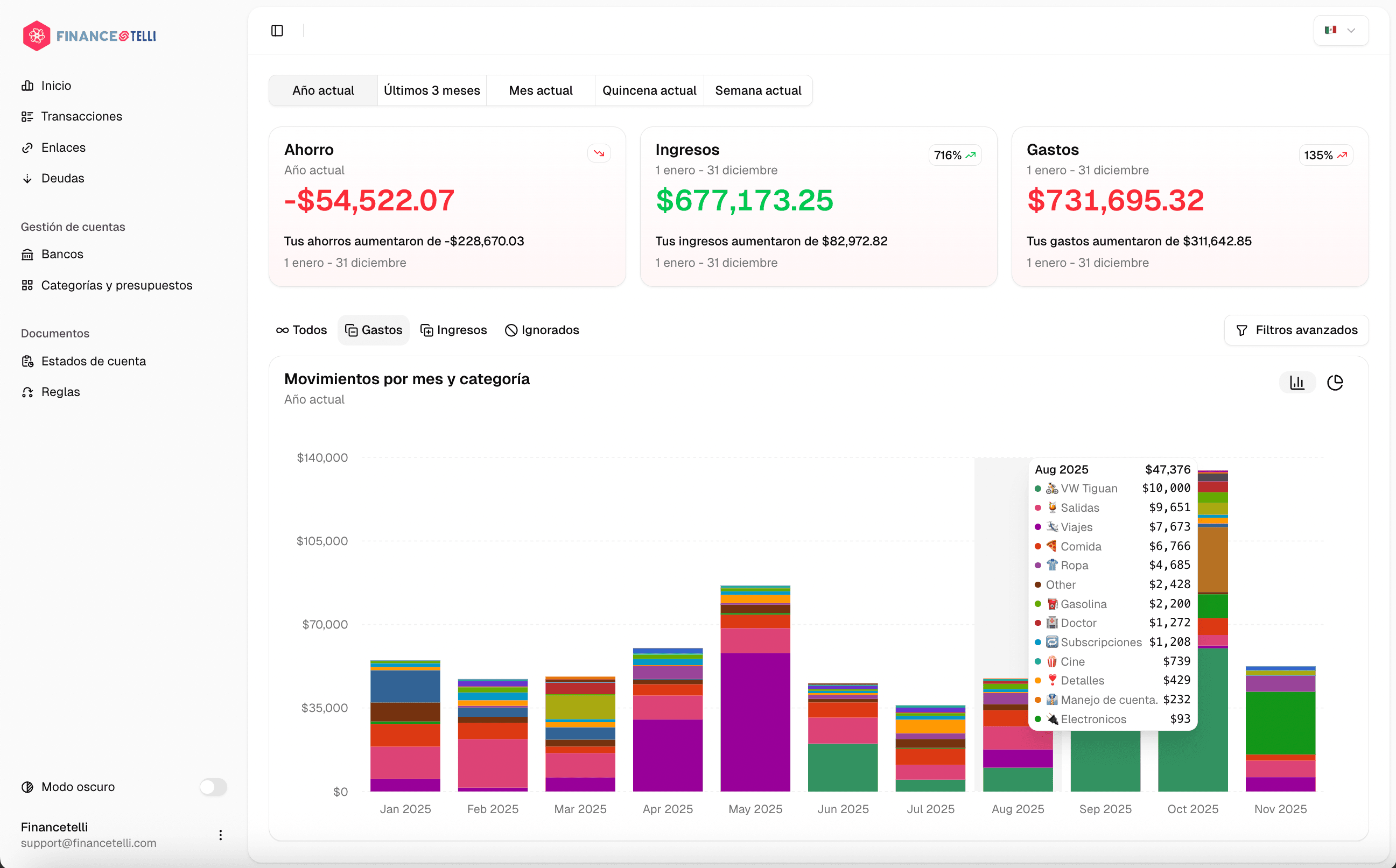
Financetelli is a saas platform to manage and track financial goals and spending, with the help of AI.
- Industry
- Fintech
- Year
- Service
- Saas application
Challenge
Design & Develop a platform that allows users to manage their financial goals and spending, with the help of AI. This application needs to have multiple services coupled together:
- Create banks and bank accounts for users.
- Create transactions and assign them to a bank account.
- Create Categories and budgets for transactions.
- Ability to upload bank statements and have them analyzed by AI to create transactions.
- Ability to create alerts and notifications for financial goals and budgets.
- Rules to automatically categorize or modify transactions when they meet certain criteria.
Solution
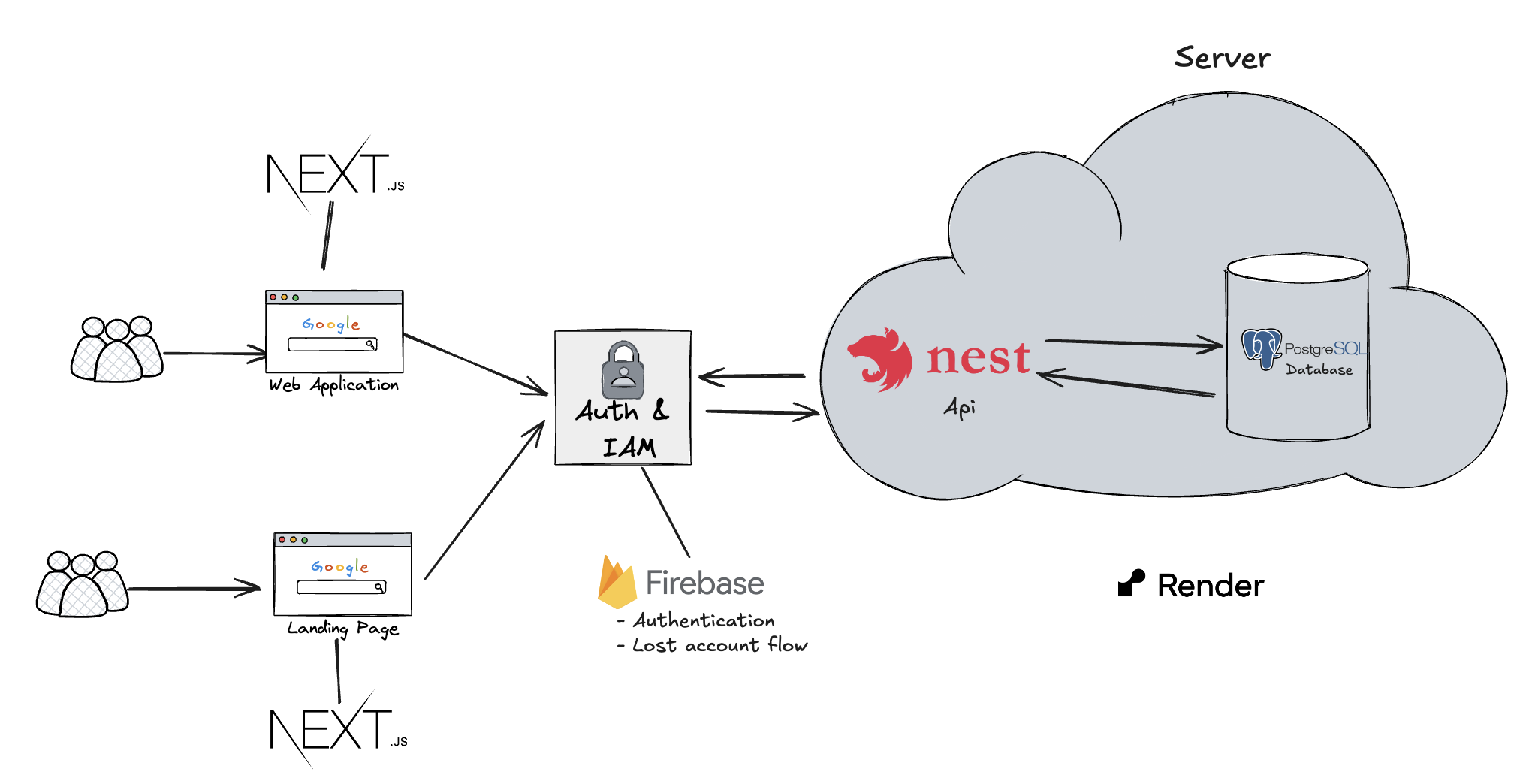
High level architecture of the application.
High level architecture of the application.
The 'Dashboard' is a Next.js application that faces the user. It is where a user can register, authenticate, and manage their financial data. Users can view their dashboard with income, expenses, and savings analytics, manage transactions, upload bank statements, configure banks and products, organize categories and budgets, create automation rules, and manage links and debts.
The 'API' is a NestJS server that serves as the backend for the 'Dashboard' and coordinates with the 'Worker' system. It's job is to receive requests from the 'Dashboard' and initialize any of the 2 job sequences available:
There is also a series of Redis queues that execute in sequence depending on which queue they start at. The queues are: 'statements' (initializes statement processing), 'upload' (handles file uploads to S3), 'gemini' (processes PDFs with AI to extract transactions), and 'transactions' (creates transaction records in the database). It is important to note, that job error handling and job initialization is only done by the 'API' this is why the 'Worker' needs to notify the 'API' whenever a job is finished correctly or incorrectly through queue event listeners that update statement statuses and handle error states.
Statement Processing (user triggered): This sequence is executed when a user uploads a bank statement PDF. The statement is processed through a multi-stage pipeline: first, the file is optionally uploaded to S3 storage, then the PDF is processed using Google Gemini AI to extract transaction data, and finally the extracted transactions are created in the database. The system tracks the progress of each step and updates the statement status accordingly.
Budget Sync: This sequence is executed daily at midnight via a cron job. It synchronizes all user budgets to ensure they reflect the current period's spending and remain accurate for budget tracking.
Transaction Categorization: This sequence is executed whenever a new transaction is created. It applies rules to automatically categorize or modify the transaction based on predefined criteria, such as amounts, dates, descriptions, or merchant names. The system reads the transaction's category and budget associations accordingly.
Technologies

HTML5

CSS3

JavaScript

ReactJS

NextJS

TailwindCSS

NodeJS

NestJS

PostgresSql

Stripe

DigitalOcean

Render

Git

Github

Docker